Capture it.
Make it clear. Send it.
SnapDog helps you turn a screen grab into an answer: capture exactly what you need, mark the important part, and share it from one native Mac app.
macOS 14+ · $14.99 one-time · available now on the Mac App Store
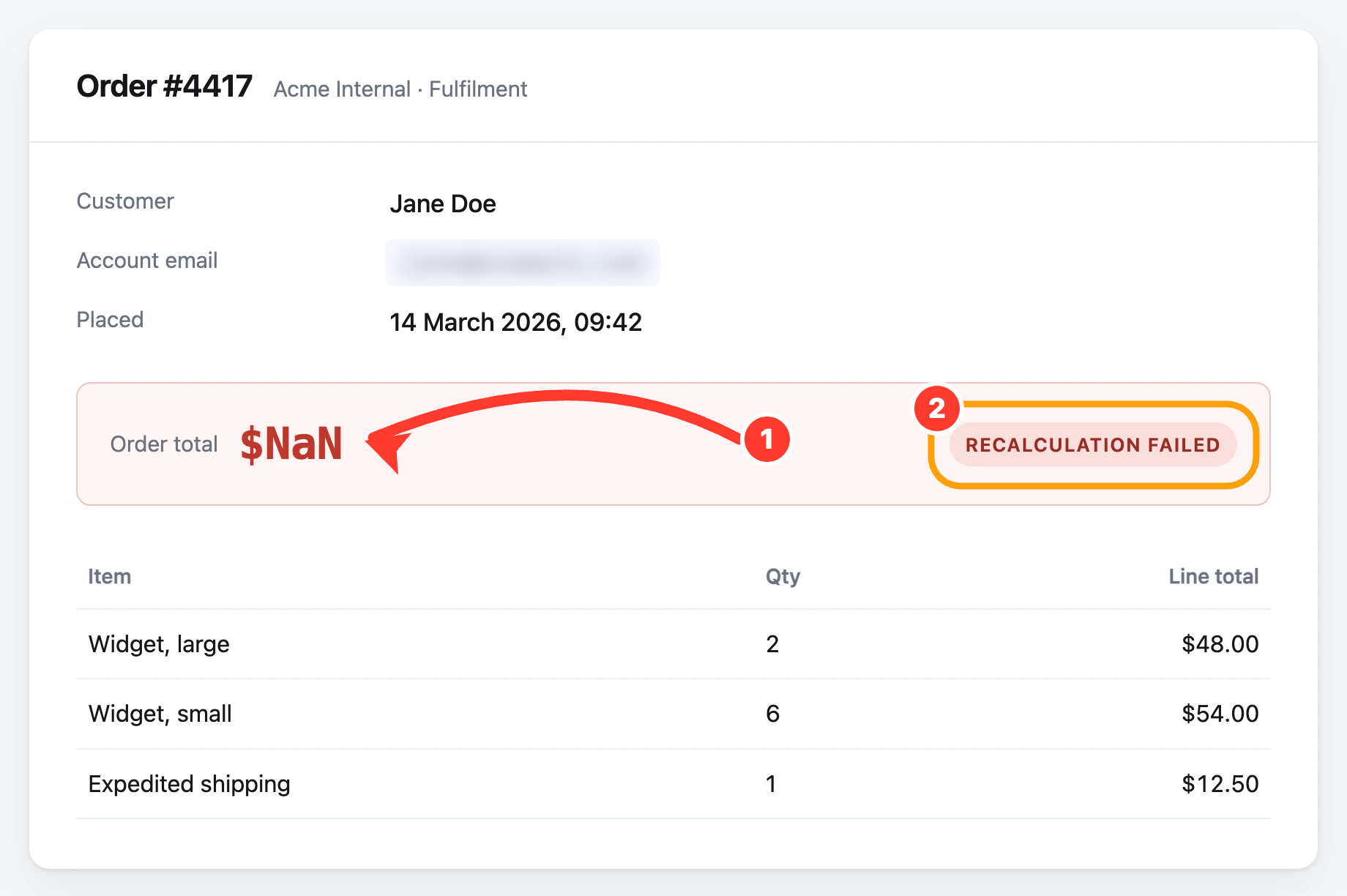
Select a region, mark it up, and it is copied and saved. Illustration on a sample page. See every feature →
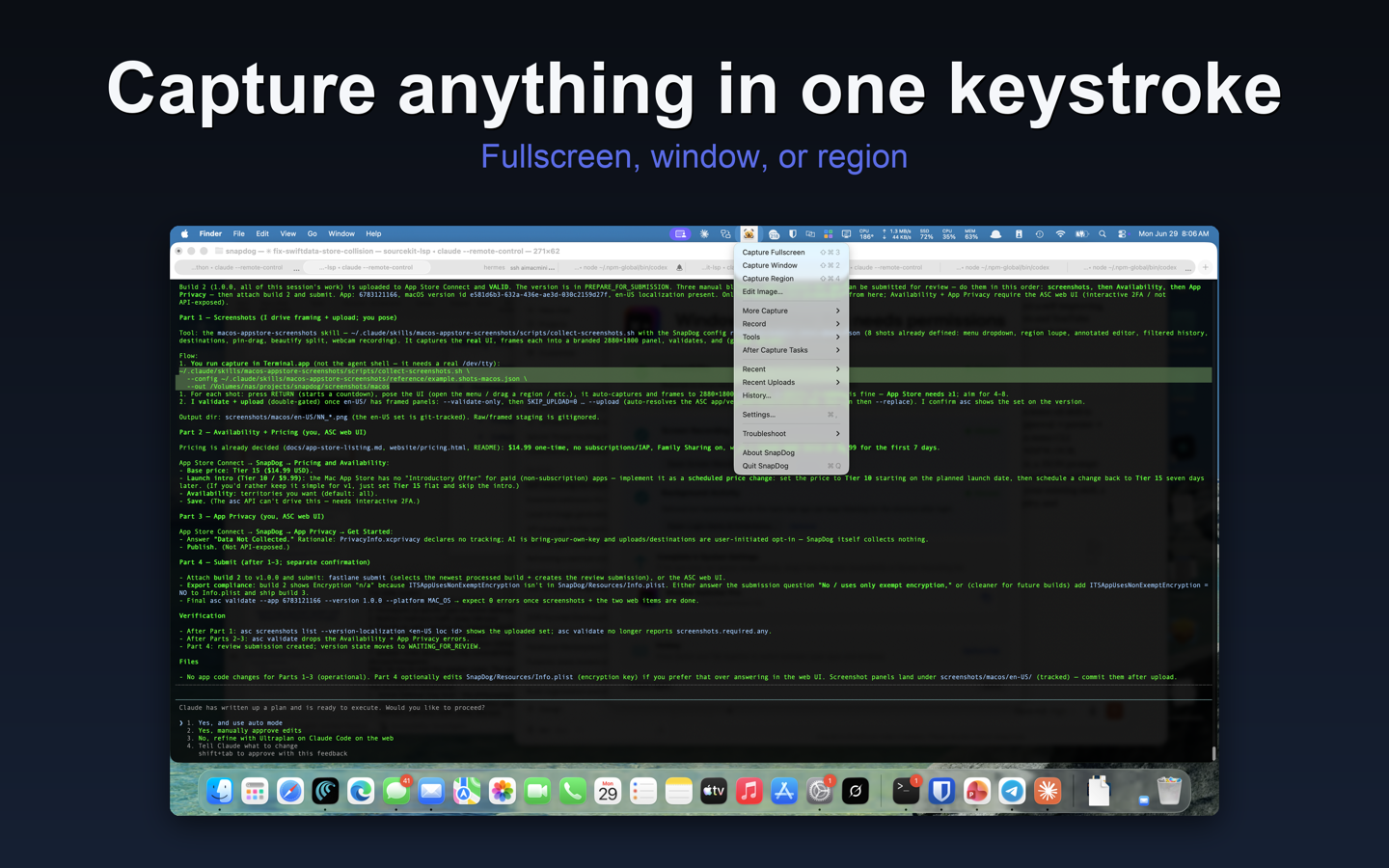
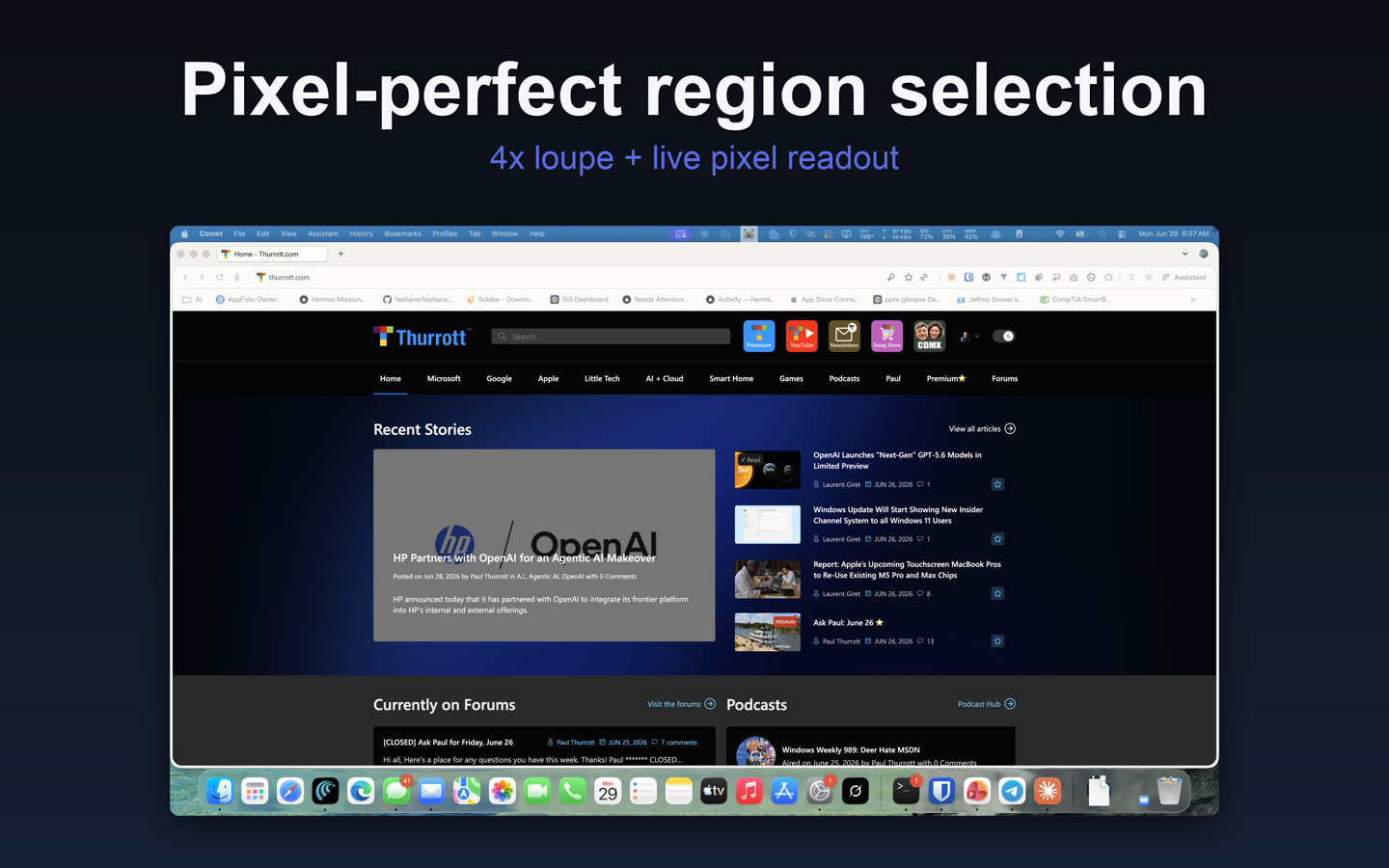
Real Mac App Store screenshots — menu bar and pixel-precise region capture. See more on the Mac App Store →
Everything a capture app should do. Nothing it shouldn't.
Capture anything
Fullscreen, window, or pixel-precise region with a 4× magnifier loupe and live coordinate readout. Delayed captures, plus user-driven stitch capture for pages taller than your screen.
Record like a studio
Screen recording in MP4, MOV, or GIF with a draggable, resizable webcam picture-in-picture, webcam-only mode, pause / resume, click-ripple visualizer, and system + microphone audio.
A real annotation editor
Arrows, shapes, text, speech balloons, step counters, spotlight, highlighter, blur and pixelate — plus crop, straighten, a layers-style objects panel, undo / redo, and PNG / JPEG / TIFF / HEIC export.
Tools you'll actually use
Recognize on-screen text with OCR, decode and generate QR codes, sample any pixel with the color picker's magnifier loupe, and measure distances with the on-screen ruler.
On-device transcription
Recordings are transcribed with Apple's on-device speech engine — the audio never leaves your Mac. Auto-transcribe every recording, then summarize the transcript with your own AI provider.
Automate the boring part
Hotkey-triggered capture workflows, post-capture Actions, 18 built-in destinations from Imgur to S3 to SFTP, webhooks with HMAC-SHA256 signing, and drag-in ShareX .sxcu uploader support.
Capture → Annotate → Share
Three steps, zero app-switching.
1 · Capture
Hit a hotkey — or let SnapDog take over the system ⇧⌘3 / ⇧⌘4 / ⇧⌘5 shortcuts — and grab a screen, window, region, or recording.
2 · Annotate
The capture opens straight in SnapDog's editor: arrows, callouts, blur, step counters, watermarks, and one-click Beautify frames.
3 · Share or automate
Copy, save, or pin it to your screen — or let a workflow upload it and post the link to Slack, Discord, or a webhook automatically.
Private by default
SnapDog collects nothing. Your captures are yours.
No analytics, no telemetry
No usage analytics, no crash reports sent to external servers, no advertising identifiers or tracking. Ever.
No account required
There's nothing to sign up for. Buy it once on the Mac App Store and it's yours — no login, no cloud dependency.
Captures stay on your Mac
Nothing is uploaded unless you opt in to a destination. AI image analysis includes a built-in on-device demo; optional provider requests go directly from your Mac to the provider you choose.
Secrets live in the Keychain
API keys, OAuth tokens, SFTP passwords and private keys, and webhook signing secrets are stored in the macOS Keychain — never in plain files.
Is this snapdog.app?
No. This SnapDog is a native macOS capture and annotation app from Remnant Security, sold on the Mac App Store. snapdog.app is a different product.
Read the full privacy policy — it's short, because there's no data collection to explain.
One price. Every feature.
$14.99 one-time. No subscriptions, no in-app purchases, Family Sharing included.
Native SwiftUI · Sandboxed · Localized into 13 languages · macOS 14 (Sonoma) or later · On the Mac App Store